Jumpspeak Review: Is It Worth It In 2026?
The Bottom Line
The concept behind Jumpspeak is promising: a structured language course supplemented with AI-powered conversations.
However, the execution falls short in several areas - the voices sound robotic, feedback is shallow, and the app doesn’t give you the tools to really retain what you learn. The pricing model is also confusing: you think you’re paying for “Premium,” but you quickly run into lesson limits unless you upgrade again to “Premium AI.”
Jumpspeak is not bad for casual practice, but if you’re serious about improving fluency or pronunciation, there are better options, such as Langua.
Overall rating: ⭐⭐ 2 stars out of 5.
In-Depth Jumpspeak Review
I'll break down how the app performs across all the most important aspects: conversation quality, audio and speech recognition, feedback depth, course structure, vocabulary tools, and grammar support. But first up in this Jumpspeak review, here's a quick summary of the pros and cons.
Jumpspeak Pros & Cons
Pros
- AI chat scenarios are available on a wide variety of topics.
- Pronunciation videos for beginners are genuinely helpful.
- The app has an attractive, simple interface and quick lessons.
Cons
- Robotic voices and repetitive conversations make speaking practice feel artificial.
- Weak pronunciation assessment (you can mispronounce words and still “pass”).
- Confusing subscription tiers and unclear AI-lesson limits.
- Flashcards lack spaced repetition and can’t be reviewed outside individual units.
- Limited feedback and no long-term vocabulary tracking or grammar reinforcement.
Conversation Quality & AI Intelligence
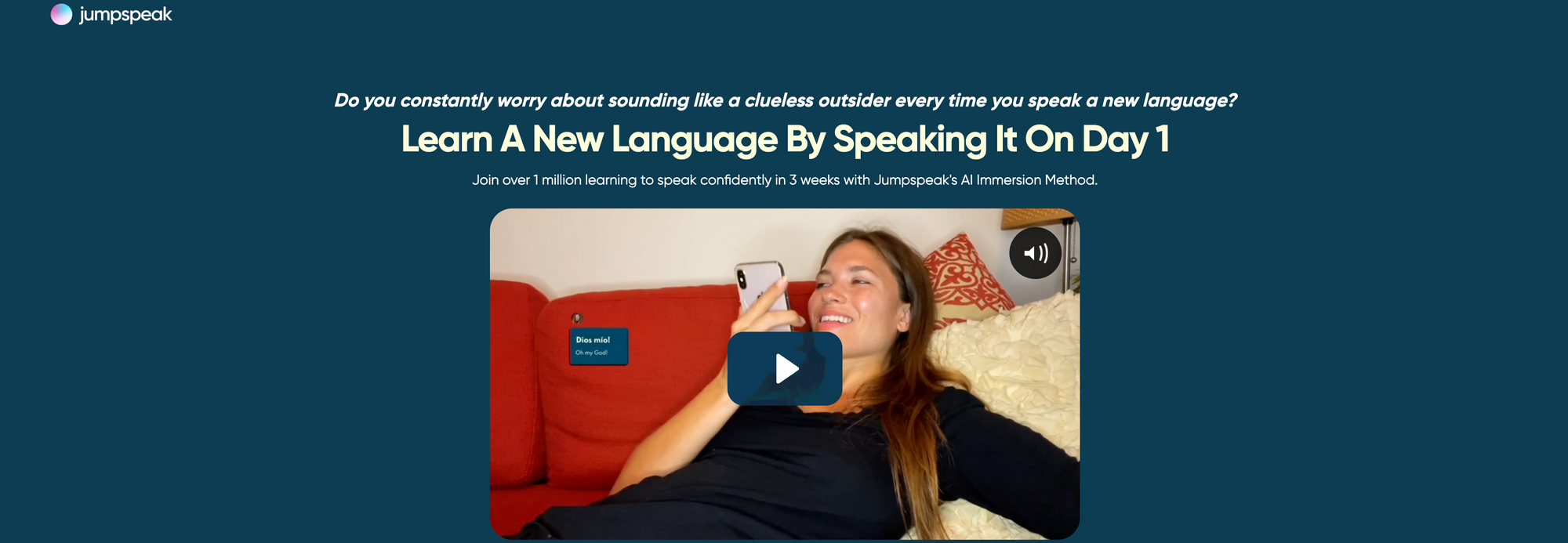
Jumpspeak’s core feature is its chat system, where you speak with an AI tutor. There are two modes: Immersion and Bridge.
In Bridge mode, you type what you want to say in English, and the app translates it into the target language for you. In theory, this is a good way to learn useful vocabulary and sentence structures, but the app doesn’t encourage you to speak the translated line aloud, which defeats the purpose. The immersion mode is better, but even there the conversations tend to feel scripted and repetitive.
Testing the app in both French and Spanish, I found the AI rarely remembered details from earlier in the conversation, and it didn’t adapt much to my level. Once I’d completed a few topics like “Travel,” “Dating,” or “Ordering Food,” responses started to feel formulaic.
By contrast, when I tried Langua, conversations flowed more naturally. It remembers context and adjusts automatically to your proficiency, which is a big improvement over Jumpspeak’s more scripted feel.
Audio Quality & Speech Recognition
Jumpspeak’s audio quality is decent in a technical sense, but the voices sound robotic, with unnatural pacing and stiff intonation. The app uses automatic speech recognition to check your pronunciation, but it’s extremely forgiving. I deliberately mispronounced French words several times, and Jumpspeak still marked my responses as correct. This can give learners a false sense of progress.
Having tested several language learning platforms, speech quality is one area where the differences between platforms become particularly apparent.
Langua, for instance, uses human-cloned voices that sound far more natural and expressive than Jumpspeak's synthetic audio, making it easier to stay engaged and imitate authentic pronunciation. When you're listening to a real-sounding voice, you naturally mirror better pronunciation and rhythm.
Feedback Quality & Depth
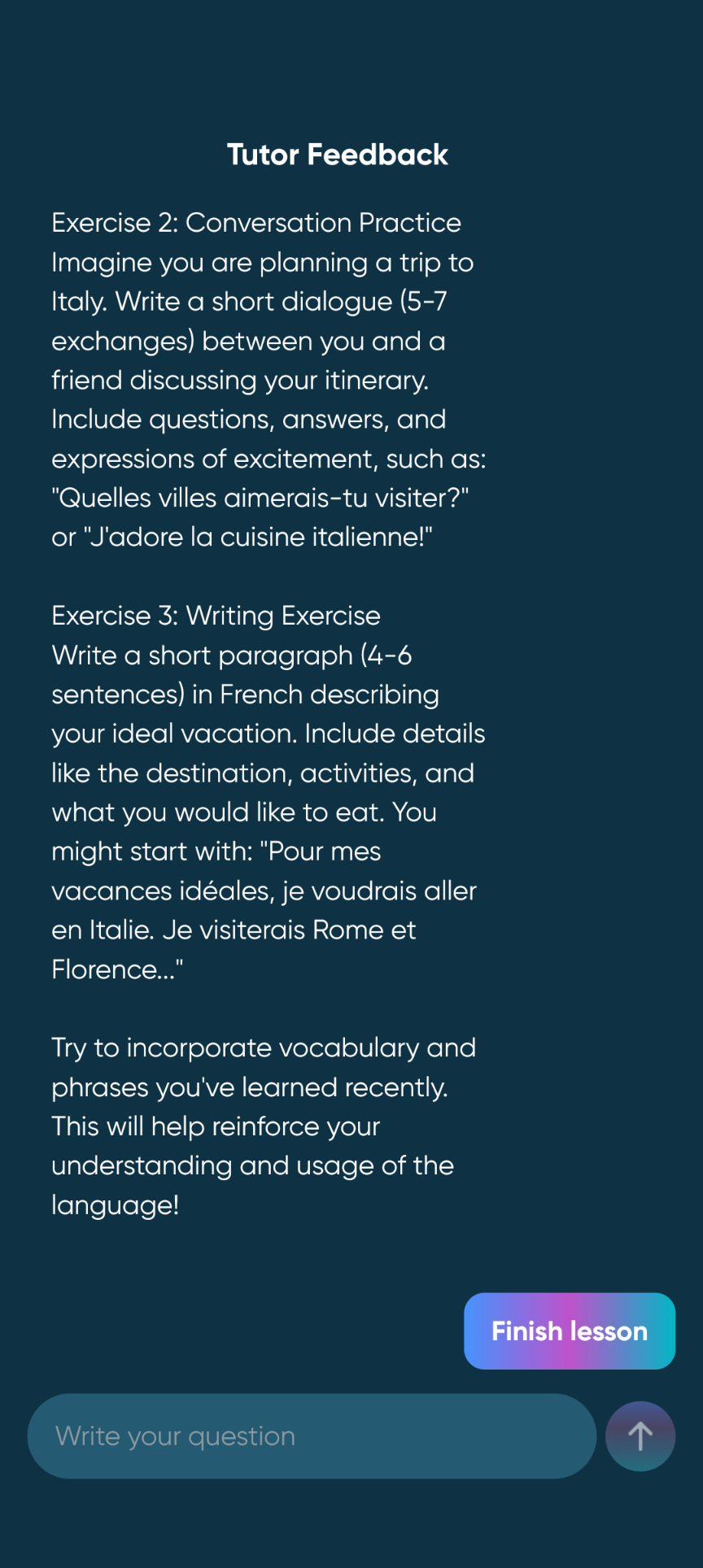
At the end of each conversation, Jumpspeak provides short written feedback from the AI tutor. It usually compliments your progress (“Your Spanish is quite good!”) and then gives one or two example corrections, such as suggesting a more natural phrase or a slightly more formal alternative. This feedback is presented in a friendly, encouraging tone, and at first glance it feels like you’re getting personalized attention.
However, the feedback is extremely shallow. It never analyzes pronunciation or grammar in detail, and there’s no summary of common errors. When I tapped “Provide more feedback,” the app simply repeated the same advice verbatim instead of adding depth. Selecting “Provide some exercises” gave me generic writing prompts to complete outside the app, but there’s no mechanism within Jumpspeak to check your writing, so the suggestions didn’t lead to any guided practice or evaluation.
In short, the feature feels unfinished. While it’s nice to get a short note after each lesson, it doesn’t go beyond surface-level corrections, and the “extra feedback” options don’t actually expand on your performance.
Lesson Design & Course Structure
Jumpspeak’s structured lessons are modeled after popular gamified apps like Duolingo. Each level is divided into short, themed units like Greetings, Introductions, Numbers 1–10, or Simple Directions. The lessons combine simple listening, matching, and fill-in-the-blank exercises. They’re colorful and user-friendly, but they rely heavily on repetition rather than explanation.
There’s no cumulative review or adaptive sequencing, and progress doesn’t seem to influence later units. The result is that you can breeze through levels quickly, but it’s easy to forget what you’ve learned a few days later.
One of the more interesting touches in Jumpspeak’s beginner Spanish course is the inclusion of short video tutoring sessions. These feature human instructors explaining basic language points, such as Spanish vowels, Greetings, Numbers, or House items.
I found the Spanish vowels video genuinely helpful: short but practical, with clear examples that improved my pronunciation immediately. I only wish there were a full series on Spanish phonology, since that single video hinted at how useful a deeper set could be. The other videos were less substantial but still a pleasant change of pace from the app’s otherwise repetitive activities. When I switched to the intermediate French course, however, I noticed there were far fewer of these video lessons, which made the experience feel a bit less dynamic.
Overall, the courses are fairly well-structured but too short and light to provide any useful progression. The Spanish A1 “Zero” section includes 16 units in total, and each one can be completed in under an hour. With enough motivation, you could finish the entire beginner course in a weekend. For a complete beginner, these units offer a fast introduction to essential vocabulary and phrases, and they do a good job of easing you into basic speaking tasks. However, I wouldn’t expect them alone to move you confidently from A1 to A2. You’d need much more reinforcement and active practice than the course provides.
Vocabulary Building Tools
Jumpspeak includes flashcards within each lesson, but they’re very basic. You can’t review all your learned words in one place, and there’s no spaced repetition system to reinforce long-term memory.
The images are chosen by the app, sometimes confusingly (for example, I saw no meaningful difference between the images for “who” and “what”), and you can’t customize them or export vocabulary to a dedicated flashcard app like Anki.
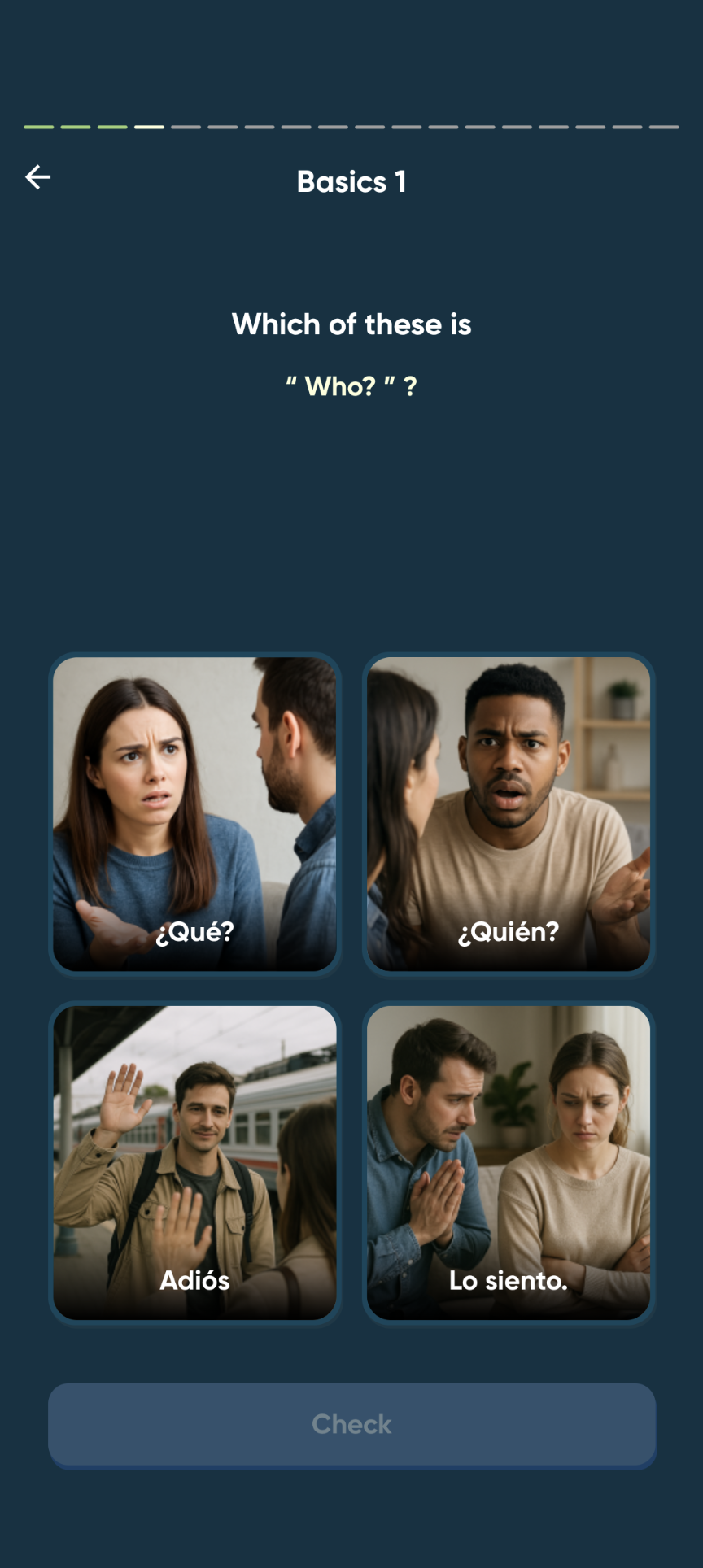
That said, Jumpspeak does follow a widely recommended principle: when introducing new words, it prioritizes connecting them to pictures instead of translations. Research in cognitive psychology (and popularized by resources like Fluent Forever) supports this approach, since associating new words with images rather than translating them into your native language helps strengthen memory and build a more direct connection to meaning.
The problem is that Jumpspeak gives you no control over the images. You can’t choose pictures that are personally meaningful, distinctive, or funny, which is part of what makes visual learning effective. If an image doesn’t “click” with you, you still have to memorize it, and sometimes the chosen pictures are unclear or nearly indistinguishable.
Context is another issue. Vocabulary lessons in Jumpspeak are presented as isolated words rather than phrases or sentences, and that can lead to misleading associations. For instance, in an intermediate French unit about emotions, the app presented excité as the equivalent of “excited.” While this is technically accurate, it doesn’t reflect how the word is used in real spoken French, where excité usually carries a sexual connotation. It’s an easy mistake for learners to make, but one that could lead to some awkward misunderstandings.
Grammar Support
Jumpspeak doesn’t include dedicated grammar lessons. You’ll occasionally see short example sentences that illustrate verb conjugations or question structures, but there’s no explanation of how the language works beneath the surface. The app seems to assume that you’ll absorb grammar intuitively through repetition and exposure.
That approach works for some learners, and to be fair, not everyone likes grammar lessons. Many language teachers argue that fluency develops best through meaningful communication, not through memorizing rules.
Still, there’s a large group of learners (like me) who genuinely enjoy understanding how sentences fit together. For them, breaking down grammar can make a language feel more logical and rewarding.
Unfortunately, Jumpspeak doesn’t offer any way to explore grammar in that more analytical way. If you want to know why something is said a certain way, you’ll need to look it up elsewhere.
If you want a middle ground, you may want to try the app I currently use: Langua. You can have chats with AI that focus specifically on grammar topics like the difference between por and para in Spanish or the placement of object pronouns in French, and the app automatically recommends topics based on mistakes you’ve made in previous conversations. This keeps the focus on communication while still giving you a structured way to understand the “why” behind the language.
Jumpspeak Pricing
Jumpspeak’s pricing is confusing and somewhat misleading. The minimum subscription is three months, and it auto-renews unless you cancel. If you subscribe through the website, you get a 100-day money-back guarantee, but if you subscribe in the app, refunds are handled by Apple or Google, so the 100-day guarantee doesn't apply. This could be made clearer, and has led to some angry Jumpspeak reviews from customers (e.g. on Reddit here and here).
There are also two tiers:
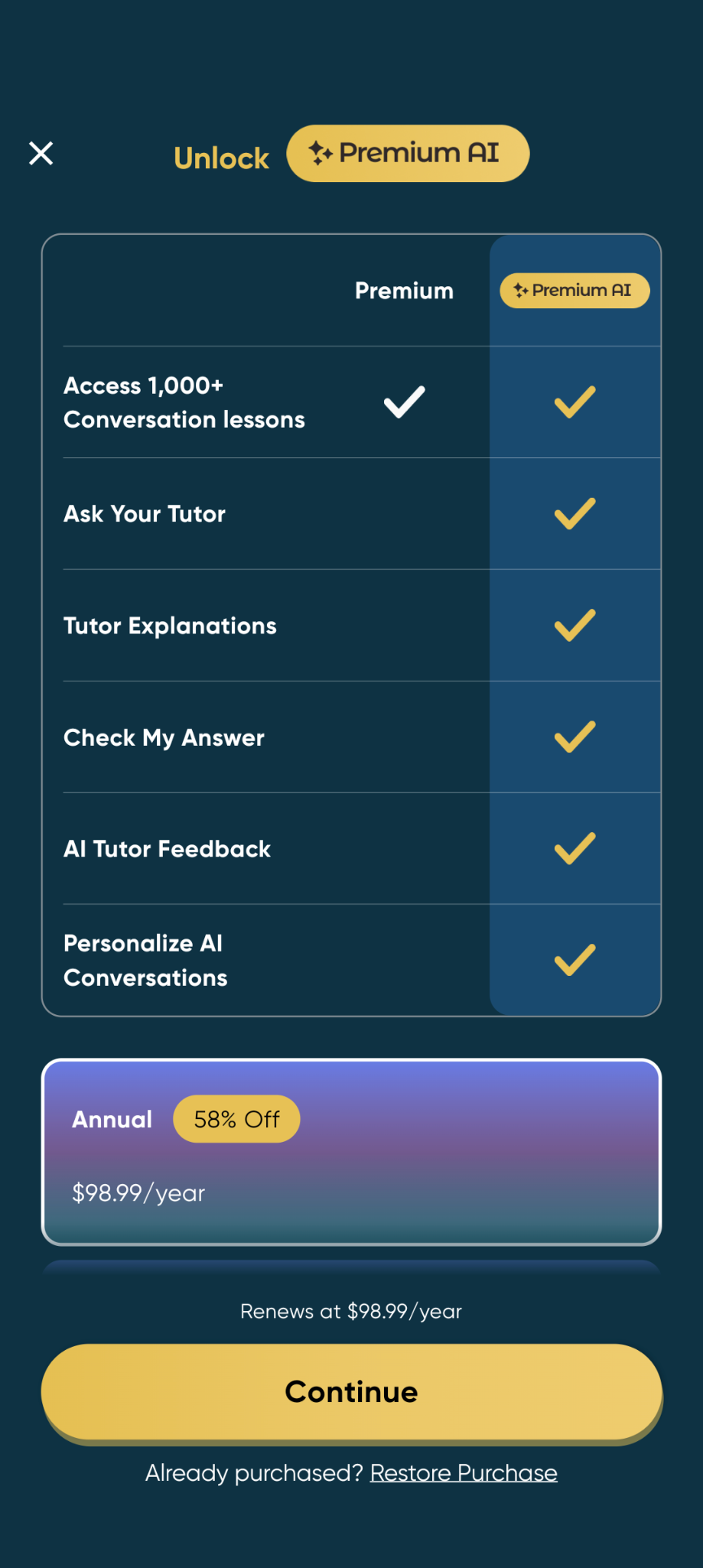
- Premium (around $50 per quarter): access to the main lessons and limited AI chats.
- Premium AI (an extra $50 per quarter or $99 per year on top of the Premium cost): removes daily limits and unlocks full AI tutoring.
This second tier isn’t mentioned clearly when you sign up for a Premium membership. You only find out about it after you run out of AI lessons, which is frustrating and feels somewhat deceptive. That said, my experience is based on subscribing in-app (on Android); if I had subscribed on the website or on iOS, my experience may have been different.
Jumpspeak Alternatives
Best overall alternative: Langua:
Langua is a significantly more advanced conversation-driven platform. The voices sound natural, your speech is transcribed more accurately, feedback is much deeper, and it tracks your vocabulary automatically. You can interrupt, rephrase, and even change topics mid-chat without losing coherence. In every way, it feels closer to a real tutoring session than Jumpspeak’s scripted exchanges.
Budget alternative: Talkpal
Talkpal offers AI conversation practice at a lower cost than Jumpspeak, but its voices and feedback are less advanced and the focus seems to be on fun chat scenarios like “Buying a spaceship” or speaking German to King Tutankhamun. It’s fine for casual learners, but serious students may outgrow it quickly. You can read a detailed Talkpal review here.
Free but no specific features for language learning: ChatGPT
If you're on a tight budget, ChatGPT can be used as a free conversation partner. However, it's not specifically designed for language learning, which leads to some key limitations: it lacks varied conversation scenarios designed for learners, so chats become repetitive quickly, and the AI doesn't know to correct your mistakes. You can ask it to, but it often forgets or doesn't do so in an optimal way for learning.
The AI also frequently cut me off mid-sentence because its speech detection isn't built for learners who need time to form sentences. In addition, it doesn't display text in speaking mode, so you can't read what you've heard or access translations, and it lacks progress tracking. It's best suited for advanced learners who just want casual practice and don't mind managing its quirks.
Final Verdict
The idea behind Jumpspeak is enticing: fast, AI-powered speaking practice - but its limitations show quickly. The voices feel robotic, feedback is shallow, and vocabulary learning feels like an afterthought. The confusing subscription tiers and lack of transparency around lesson limits also hurt the experience.
For beginners, Jumpspeak can be a fun supplement to a more complete program. But for anyone serious about speaking fluently and getting meaningful feedback, learners may want to consider the alternatives above.
Frequently Asked Questions
Is Jumpspeak better than Duolingo?
Not really — they serve different purposes. Duolingo is a structured beginner course that’s great up to A2 level. Jumpspeak focuses on speaking practice, but it’s not a full curriculum. For genuine conversational fluency, Langua bridges that gap more effectively than either.
Is Jumpspeak a scam?
No, it’s a legitimate company. However, users often feel misled because of discrepancies between marketing claims and the product, as well as unclear pricing and refund policies, especially on mobile. Always read the fine print before subscribing.
Is Jumpspeak available on both mobile and desktop?
No. Jumpspeak is mobile-only. There’s no desktop or web version at this time.